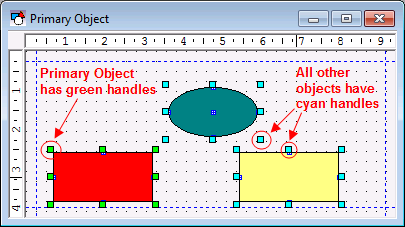
In a multi-selection,
the Primary Object has green handles.
When selecting multiple objects, one object is considered the Primary Object. This object is shown with green handles. The Primary Object is important when performing operations on multiple objects such as resizing, aligning, and setting properties. When resizing (Layout menu, Make Same Size option), all objects will be resized to the Primary Object. When aligning (Layout menu, Align Objects option), all objects will be aligned to the Primary Object. When setting a property, all objects in the group will be set to that of the Primary Object.
|
|
|
In a multi-selection, the Primary Object has green handles. |
If using Shift and Click to select objects, the first object selected will be the Primary Object. If using the mouse to selecting a group of objects, you can change the Primary Object to any object in the group by holding down the Ctrl key and clicking on the object.
|
|
|

